+32 (0) 3 780 69 11 Support
EN
ERA — Powered by SDP
ERA Job · Task Management

Turn hours worked into data that drives your business.

ERA Job tracks time at the task level — by order, project, phase or customer. The result is accurate cost data, reliable project reporting and the visibility to price future work correctly. All connected to the same time & attendance engine.
By order By project By phase By customer
Book a free demo See the full ERA solution
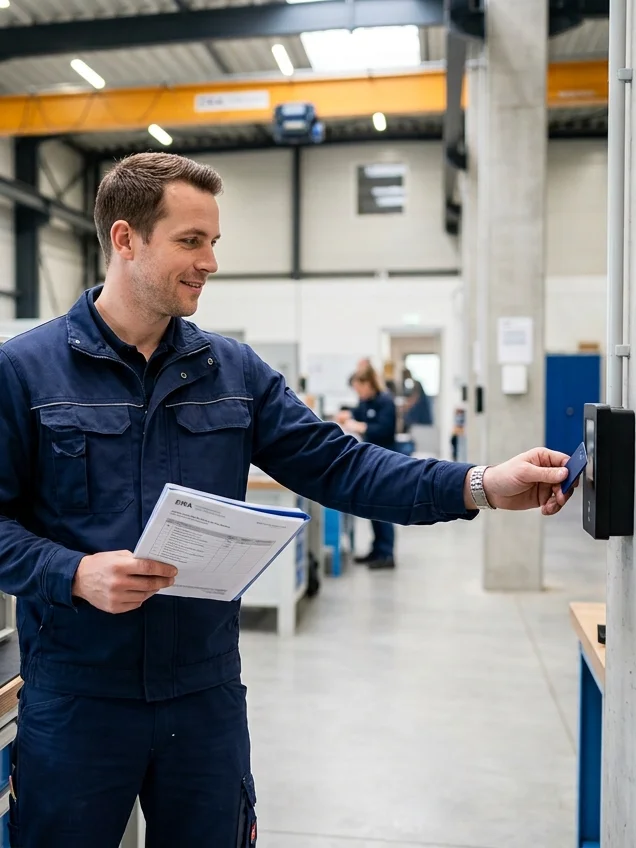
Technician clocking in with ERA TimeAgent in a workshop
01 — On the shop floor

Registration

Employees register task starts and ends directly via ERA's clocking terminals. No additional hardware required.

See ERA Time — Time & Attendance
STEP 1
Badge tap on the clocking terminal
STEP 2
Task start and task end registered
RESULT
Time data flows from shop floor to report
02 — From hours to insight

Cost calculation and project reporting

ERA Job automatically calculates hours per task, per employee, per project or per customer. Compare planned hours versus actual hours done. Identify where time goes. Use it to build better estimates next time.

Hours, sliced the way you work

Hours per job, employee, order, location or customer.

Real costs, not guesses

Cost calculation based on wage or rate data.

Plan and manage the work

Budgeting and project management tools.

Reporting that arrives on its own

Online dashboards and scheduled exports.

03 — One clocking infrastructure

Integrated with ERA Time

Task registrations and attendance registrations share the same clocking infrastructure. One badge tap — one source of truth for both HR and operations.

Explore ERA Time
ONE BADGE TAP
Attendance registration + task registration
ONE SOURCE OF TRUTH
For both HR and operations
04 — Benefits at a glance

What ERA Job changes for your business

Know the real cost of every job before the invoice goes out.

Identify bottlenecks and productivity opportunities.

Accurate data for pricing, budgeting and customer billing.

No double-entry — time data flows from shop floor to report automatically.

05 — Common questions

ERA Job in short

Do employees need extra hardware to register tasks?
No. Employees register task starts and ends directly via ERA's clocking terminals — no additional hardware required.
Can ERA Job compare planned versus actual hours?
Yes. ERA Job automatically calculates hours per task, per employee, per project or per customer, so you can compare planned versus actual, identify where time goes and build better estimates next time.
How does ERA Job work together with ERA Time?
Task registrations and attendance registrations share the same clocking infrastructure. One badge tap gives one source of truth for both HR and operations.
06 — Part of the ERA solution

ERA Job connects to the modules you already run

See how the full ERA solution fits together
Next step

See what your hours are really telling you.

Task-level time tracking, cost calculation and project reporting — on the same clocking engine as your time & attendance.